Introduction
Most real estate teams do not lose opportunities because they do not care. They lose opportunities because operations break at scale.
Leads arrive from different sources, ownership is unclear, and follow-up timing depends on who is available. A CRM may contain all contact data, but if the workflow is manual, execution quality still varies by day, workload, and memory.
That is why crm automation real estate teams can trust is a core operating advantage.
A strong CRM automation system does not remove human relationships. It removes delay, inconsistency, and handoff confusion so agents can spend more time in high-quality conversations.
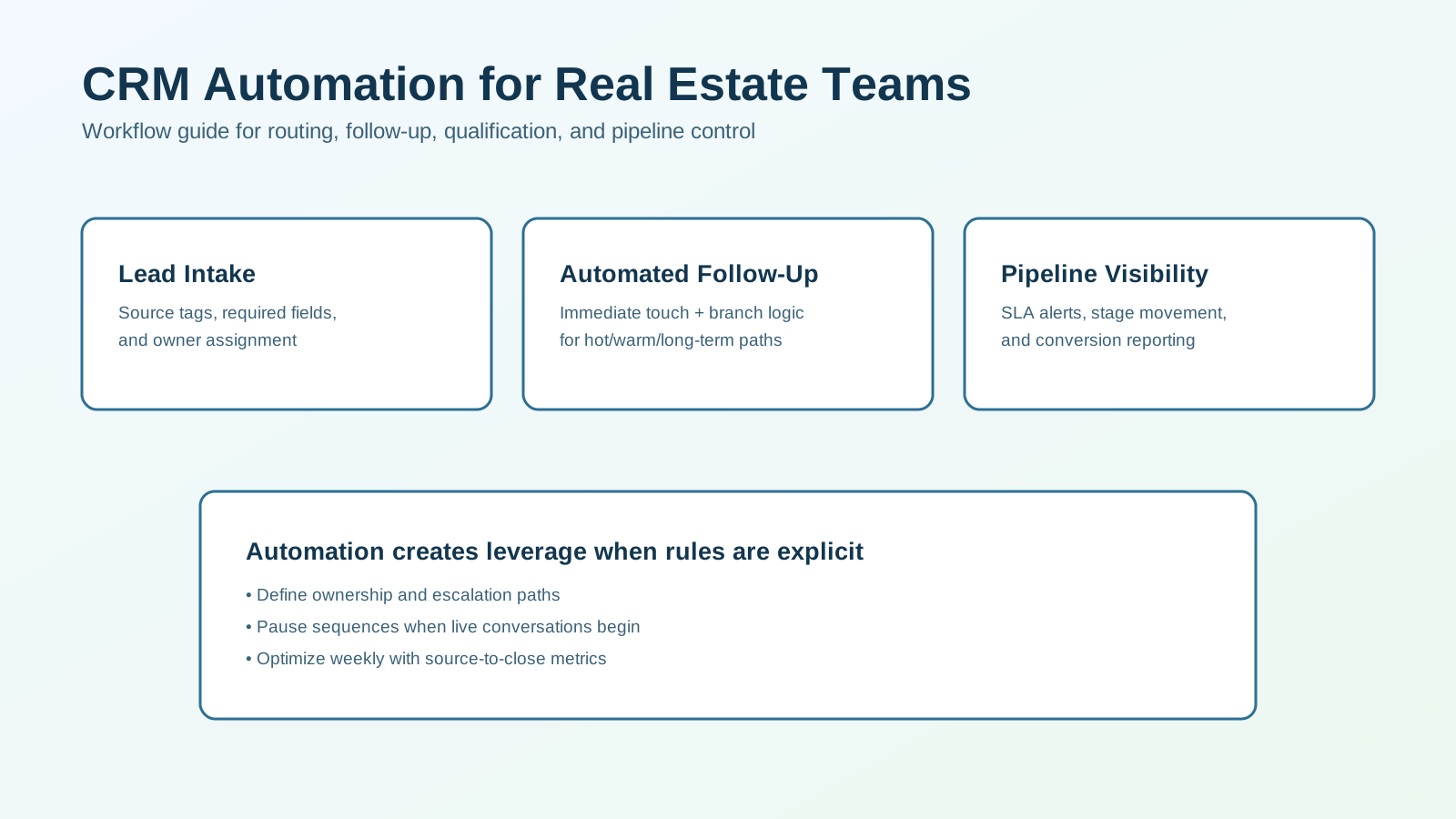
This guide shows how to build a practical automation workflow for real estate teams, from intake through conversion reporting.
If you want the concise version first, start with Real Estate CRM Automation for the short-form overview before using this article as the deeper build guide.
What Real Estate CRM Automation Should Do
At minimum, your workflow should execute these functions reliably:
- standardize intake from all lead sources,
- assign ownership and accountability immediately,
- trigger first-touch communication within minutes,
- branch follow-up by readiness and behavior,
- escalate missed tasks and SLA breaches,
- provide clear source-to-close reporting.
If any of these are left to ad-hoc manual steps, conversion performance becomes unstable.
Why Teams Build CRM Workflow Automation
Common problems in manual CRM operations:
- response lag after lead inquiry,
- duplicate or conflicting follow-up,
- unclear lead ownership,
- inconsistent qualification notes,
- weak visibility into stage bottlenecks.
Automation improves:
- speed-to-lead,
- consistency across agents,
- lead routing accuracy,
- operational accountability,
- conversion analysis quality.
The point is not more activity. The point is better pipeline movement.
Core System Architecture
Build your CRM automation in five layers.
1. Intake Layer
Every lead source should map into one standardized record format.
Required fields:
- name,
- phone/email,
- source and campaign,
- buyer/seller/investor type,
- target location,
- timeline hint.
Input quality drives routing quality.
2. Routing Layer
Assign owners using deterministic rules:
- geography,
- lead type,
- price range,
- language,
- agent availability.
Routing should happen immediately on lead creation.
3. Engagement Layer
Trigger first-touch workflow within 1-3 minutes:
- acknowledgment SMS and/or email,
- call task for assigned owner,
- time-based reminders.
The objective is fast, contextual response.
4. Qualification Layer
Capture key readiness signals early:
- timeline urgency,
- financing or readiness status,
- criteria clarity,
- preferred next step.
Use short sequences and stop automation when a live conversation begins.
5. Reporting Layer
Track operational and outcome metrics:
- response-time compliance,
- reply rate by source,
- qualification rate by segment,
- consultation booking rate,
- conversion by source and stage.
Without this layer, optimization becomes guesswork.
Workflow Diagram
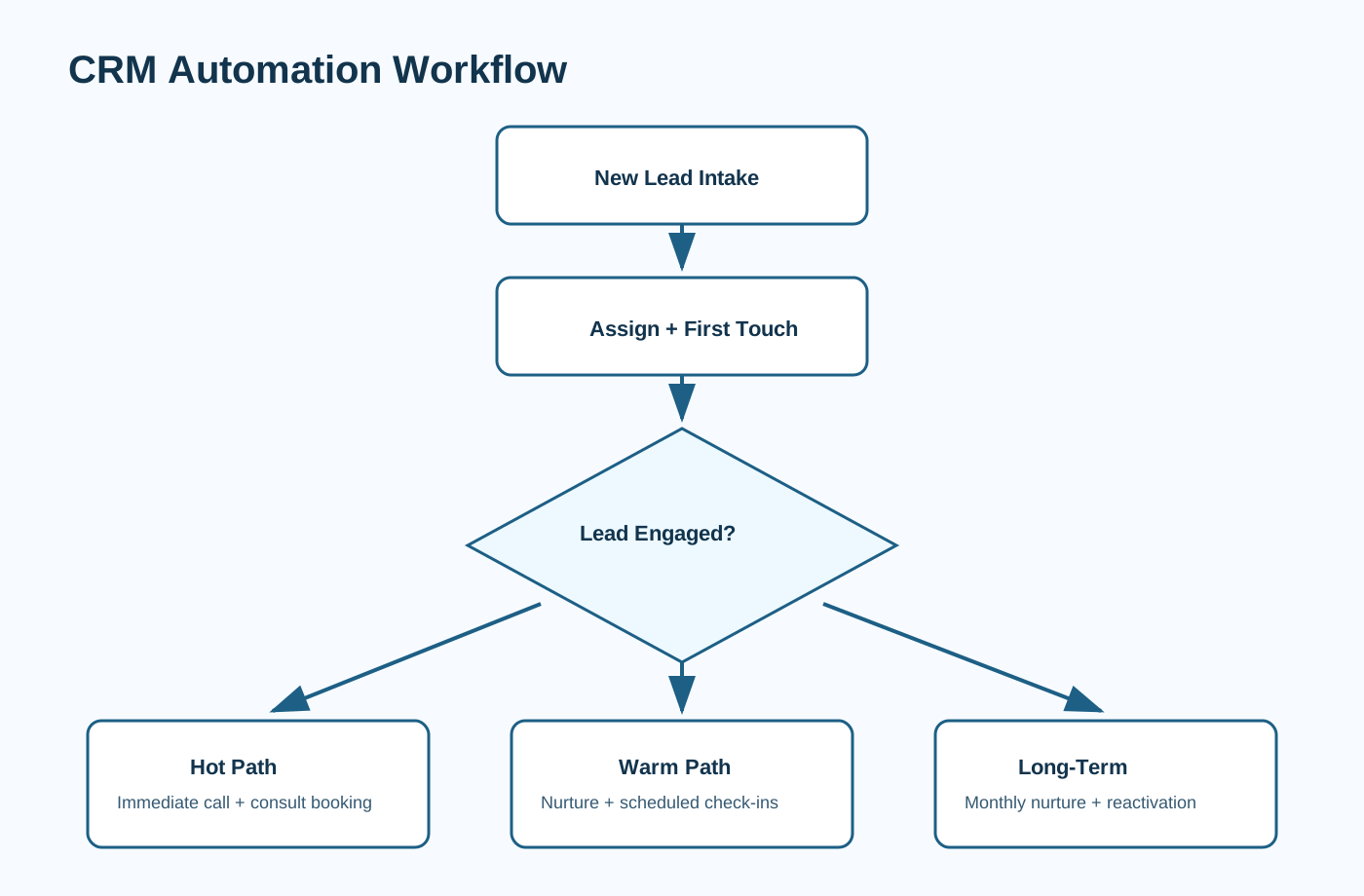
Use this as your baseline execution model.
Recommended CRM Automation Blueprint
Step 1: Trigger on New Lead
When a lead enters CRM:
- normalize source tags,
- assign owner,
- create intake timestamp,
- set stage to
New.
Step 2: Immediate First-Touch Actions
Within minutes:
- send acknowledgment message,
- create agent call task,
- set due-time reminders.
Use source context and one clear question in first-touch copy.
Step 3: Qualification Micro-Sequence
If no live response, run a short sequence:
- Touch 1: timeline check,
- Touch 2: area/criteria prompt,
- Touch 3: next-step invitation.
Sequence must pause on reply, booking, or disqualification.
Step 4: Branch by Readiness
Create paths:
Hot: immediate call workflow and consult booking,Warm: structured nurture with scheduled live touchpoints,Long-Term: monthly nurture plus periodic reactivation.
Step 5: Escalation Rules
If assigned owner misses SLA:
- notify owner,
- notify team lead,
- optionally route backup follow-up owner.
Escalation prevents silent lead decay.
Step 6: Closed-Loop Review
Review weekly:
- SLA adherence,
- stage aging,
- qualification consistency,
- conversion by source.
Use reviews to refine timing, templates, and routing logic.
Message Framework for CRM Workflows
Immediate SMS
“Hi [First Name], this is [Agent Name] from [Brand]. Thanks for reaching out about [Area]. I can help with a quick plan based on your timeline. Are you aiming to move in the next 3 months or later?”
Immediate Email
Structure:
- quick acknowledgment,
- one useful next step,
- one qualification question.
Follow-Up Prompt
“Would it help if I sent 2-3 options that fit your goals in [Area], or is your timeline still early?”
Keep all copy concise, relevant, and permission-based.
CRM Pipeline Design Recommendations
Use stages with clear definitions:
New,First Touch Active,Engaged,Qualified,Consult Scheduled,Nurture,Closed.
Each stage should have explicit entry conditions and owner responsibilities.
Pipeline clarity improves team alignment and reporting quality.
SLA Model (Starter)
Example standards:
- Hot leads: live call task within 10-15 minutes,
- Warm leads: same-day live touch,
- Long-term leads: nurture enrollment within 24 hours.
Also track overdue task escalation and stale record alerts.
SLA rules convert intent into measurable operating behavior.
Compliance and Quality Controls
Real estate CRM automation should include guardrails:
- channel consent and opt-out handling,
- automatic sequence pause on lead reply,
- reviewed templates for compliant language,
- logged automation history in CRM timeline,
- permissions for who can edit critical workflow logic.
Automation speed without control creates compliance risk.
KPI Dashboard to Run Weekly
Speed Metrics
- median first response time,
- percent of leads contacted inside SLA.
Quality Metrics
- reply rate by first-touch template,
- qualification completion rate,
- handoff completeness score.
Outcome Metrics
- consultation booking rate,
- qualified-to-client conversion,
- source-to-close conversion.
Metrics should be reviewed by source and stage, not blended totals only.
Common Failure Modes (and Fixes)
Failure 1: Over-Complicated First Version
Fix: launch core routing + first-touch + branch logic first.
Failure 2: Weak Ownership Rules
Fix: define primary and backup owners by source and geography.
Failure 3: No Stop Logic
Fix: pause sequences immediately on reply or meeting booked.
Failure 4: Reporting Without Decisions
Fix: assign KPI owners and weekly optimization actions.
30-Day Implementation Plan
Week 1: Process Mapping
- define stage definitions,
- finalize required fields,
- document routing and SLA rules.
Week 2: Core Build
- configure triggers and first-touch,
- set task creation and escalation,
- load approved templates.
Week 3: Branching + QA
- launch readiness branches,
- test stop conditions,
- run test records through each path.
Week 4: Optimization Cadence
- publish dashboard,
- run first weekly review,
- adjust thresholds and messaging.
This phased rollout reduces risk while producing fast operating gains.
CRM Automation Readiness Checklist
Before you implement, verify foundational readiness:
- one agreed definition for each pipeline stage,
- documented owner and backup-owner rules,
- approved first-touch templates by lead type,
- clear SLA targets by readiness segment,
- source and campaign tagging standards,
- weekly KPI review owner and meeting cadence.
Most implementation failures are process failures, not software failures.
If your team cannot answer who owns each stage transition, automation should not launch yet.
Tooling and Integration Requirements
Your CRM stack should support these capabilities natively or via integrations:
- trigger automation on record creation and field updates,
- conditional branching logic,
- task creation with due times and reminders,
- message sequencing with pause and stop rules,
- SLA breach alerts and escalation rules,
- source-level attribution reporting.
Recommended integration map:
- forms/landing pages -> CRM intake,
- communication channels (email/SMS) -> activity timeline,
- calendar booking -> stage updates and task closures,
- dashboard/reporting -> weekly performance review.
When integrations are partial, create fallback operational rules so leads do not stall.
Maturity Model for CRM Workflow Automation
Use this model to set realistic rollout expectations.
Level 1: Reactive
- mostly manual follow-up,
- no consistent SLA enforcement,
- limited reporting visibility.
Level 2: Structured
- basic routing and first-touch automation,
- clear owner assignment,
- weekly KPI tracking begins.
Level 3: Optimized
- behavior-based branching,
- dynamic task escalation,
- segment-level performance tuning.
Level 4: Scaled
- reliable cross-team execution,
- consistent quality controls,
- strong source-to-close analytics and forecasting.
Most teams should target Level 2 within 30 days, then move to Level 3 over the next quarter.
Frequently Asked Questions
What does CRM automation for real estate teams include?
It includes standardized intake, routing, follow-up triggers, qualification branching, escalation rules, and reporting workflows.
How fast should automation respond?
Most teams should trigger first touch within 1-3 minutes, with hot-lead escalation for immediate live follow-up.
Can automation replace agents?
No. Automation supports execution consistency, while agents own trust-based conversations and conversion.
Which KPI matters most first?
Start with speed-to-lead and consultation booking rates, then expand into source-to-close conversion analysis.
Final Recommendation
Treat CRM automation as a team operating system, not just a set of message templates.
Start with clean intake, clear routing, and fast first-touch execution. Then layer qualification branching, escalation controls, and weekly optimization.
That combination produces stable conversion performance across changing lead volume.
If you want this mapped to your team structure and CRM stack, schedule a consulting call and we can design a custom implementation plan.