Introduction
Most realtor teams agree they need email automation. The real decision is execution model:
- build internally (DIY), or
- hire a done-for-you implementation partner.
Both can work. Both can fail.
This comparison helps you choose the right path based on team capacity, risk tolerance, timeline, and expected business impact.
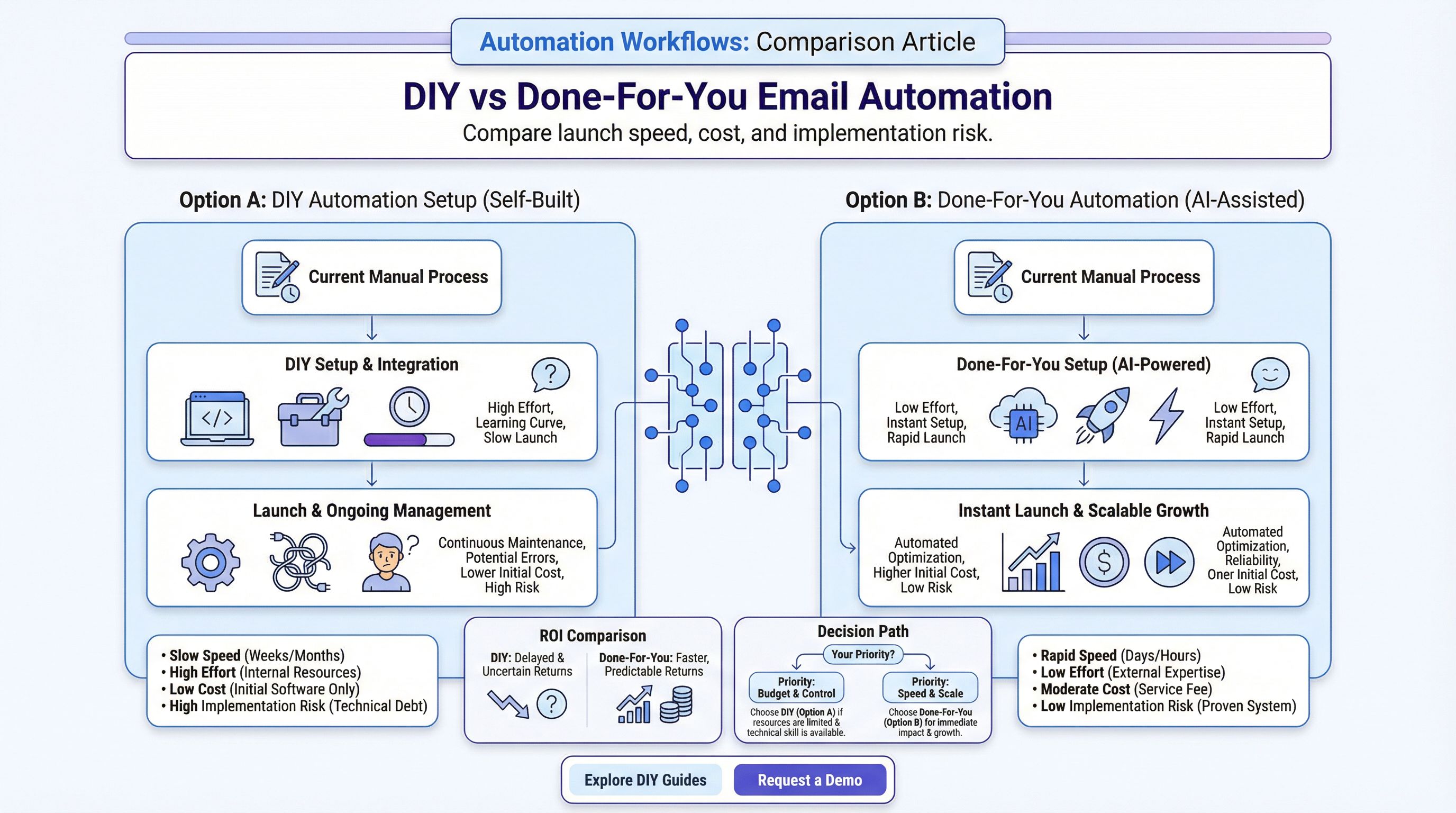
What We Are Comparing
DIY CRM Workflow Setup
Your team designs and configures:
- triggers and branch logic
- templates and sequence timing
- stage updates and alerts
- QA, iteration, and maintenance
Done-For-You Setup
A specialist builds and configures the system for you, usually including:
- discovery and process mapping
- workflow implementation
- template library
- launch QA and handoff
Side-by-Side Comparison
| Factor | DIY Setup | Done-For-You Setup |
|---|---|---|
| Upfront cost | Lower cash outlay | Higher initial investment |
| Time to launch | Slower if team is busy | Faster with dedicated builder |
| Internal learning | High | Moderate |
| Execution risk | Higher for first build | Lower if partner is experienced |
| Flexibility | Maximum control | High, but partner-dependent |
| Ongoing maintenance | Internal burden | Shared or externalized |
| Speed to ROI | Variable | Usually faster if implemented well |
When DIY Is the Better Choice
DIY is usually a good fit when:
- you already have strong CRM admins
- lead volume is moderate and stable
- timeline pressure is low
- team enjoys process design and iteration
DIY can produce excellent systems if your team has real implementation bandwidth, not just intention.
When Done-For-You Is the Better Choice
Done-for-you is usually better when:
- lead leakage is already costly
- launch speed matters
- internal ops bandwidth is limited
- you need expert architecture from day one
If execution delay is hurting conversion now, done-for-you often has a better near-term ROI.
Total Cost Reality (Not Just Upfront Cost)
Many teams compare only invoice size. That misses hidden costs.
DIY Hidden Costs
- staff hours pulled from revenue work
- delayed launch timeline
- rework from configuration errors
- under-optimized sequences for months
Done-For-You Hidden Costs
- dependency on vendor quality
- potential lock-in if handoff is weak
- scope expansion if requirements are unclear
Choose based on total cost to reliable performance, not cheapest first step.
Risk Profile Comparison
DIY Risks
- weak segmentation logic
- missed stop conditions
- poor handoff rules
- inconsistent reporting setup
Done-For-You Risks
- generic implementation not matched to your market
- insufficient training after launch
- unclear ownership of optimization
You reduce risk in either model by defining clear success criteria before build starts.
Expected Timeline by Model
Typical DIY Path
- Week 1-2: process mapping and copy drafting
- Week 3-4: setup and branching logic
- Week 5-6: testing and correction
- Week 7+: launch and optimization
Typical Done-For-You Path
- Week 1: discovery and architecture
- Week 2-3: build and sequence configuration
- Week 4: QA and launch
- Week 5+: optimization and enablement
Actual timing depends on CRM complexity and team responsiveness.
Decision Framework
Choose DIY if these are true:
- internal ops owner is available weekly
- CRM logic skills already exist in-house
- launch deadline is flexible
- team can test and optimize consistently
Choose Done-For-You if these are true:
- conversion loss from delay is meaningful
- team lacks workflow engineering capacity
- leadership wants predictable launch timeline
- you need external accountability
Choose Hybrid if you want speed plus internal ownership:
- partner builds core system
- team manages ongoing iteration
For many real estate teams, hybrid is the most practical long-term model.
What to Standardize in Either Model
No matter which route you choose, define these before launch:
- pipeline stage definitions
- response-time SLAs
- segmentation rules
- handoff criteria to agent tasks
- reporting dashboard and KPI cadence
Without these, even a technically correct setup underperforms.
KPI Targets to Evaluate Success
Track 30/60/90-day trends:
- time to first email
- first reply rate
- qualification rate from email sequences
- consultation booking rate
- conversion to active client
If these do not improve, the issue is usually workflow logic or messaging relevance, not the platform itself.
Frequently Asked Questions
Is DIY setup always cheaper than done-for-you?
Not always. Upfront spend may be lower, but execution delay and internal labor can make DIY more expensive overall.
How fast can done-for-you launch?
In many cases, 2 to 4 weeks for a strong first version, depending on CRM complexity.
When is done-for-you the better choice?
When speed, reliability, and conversion impact are more important than minimizing initial cash outlay.
Can we combine both models?
Yes. Hybrid execution is often the best long-term model for control and speed.
Final Recommendation
If your team has strong ops capacity and lower urgency, DIY can work well.
If your team needs rapid, reliable implementation tied to conversion outcomes, done-for-you is usually the higher-impact option.
For most teams launching now, a hybrid path gives the best balance: fast setup, expert architecture, and internal control over iteration.
If you want help deciding which model fits your team right now, schedule a consulting call and we can map your operating constraints to the right implementation path.